
Motorised blinds have come a long way from the single-button remote. Somfy’s new Zigbee motors are the biggest change we’ve seen in years: they charge faster than most battery motors, they tell you exactly where each blind sits, and they plug into the smart home you already have.
We’ve been installing Somfy Zigbee motors across Melbourne since they arrived in Australia, and they’re now the motors we recommend for anyone who wants their blinds to do more than go up and down. Here’s what makes them different, and how they compare with the other motors on the market.
What is a Zigbee motor?
Zigbee is an open wireless language that smart-home devices use to talk to each other. Somfy’s newest motors use Zigbee 3.0, the current version of the standard, instead of (or alongside) Somfy’s long-running RTS radio.
The practical difference is simple. An RTS motor only listens: you press a button and it moves. A Zigbee motor listens and talks back. It confirms every command, reports its exact position and tells you how much battery is left. Mains-powered Zigbee motors also pass signals along to each other, building a mesh network that gets stronger as you add more blinds.
Charging in about 2 hours, not overnight
The first thing our customers notice is charging time. Somfy’s compact Sonesse 28 WireFree Zigbee motor fully charges in about 1.5 hours with the Somfy USB-C charger, and the larger Sonesse 40, built for bigger and linked blinds, takes around 4 hours.
That’s a big step up. Many other battery blind motors we’ve worked with take 6 hours or more to charge fully, which means leaving a charger plugged into your blind for most of the day, one blind at a time. With Somfy Zigbee you can top up a motor over lunch.
And you won’t be doing it often. Somfy rates the battery for up to 12 months on one up-and-down cycle a day, based on a typical 1.2 m × 2 m blind. When the battery does get low, the TaHoma app tells you, and the motor gives three short jogs as a reminder. If you’d rather never charge at all, there’s an optional solar panel, or you can choose the mains-powered Sonesse 40 AC.

See and set your blinds from anywhere
Two-way communication is the feature that changes how you use your blinds day to day.
With a traditional one-way motor, the app only knows the last button you pressed. If someone in the house used the wall remote, or the blind stopped halfway, the app has no idea. Somfy Zigbee motors report back after every move, so the TaHoma app always shows where each blind really is.
That matters most when you’re not home:
- Check at a glance. At work or on holiday, open the app and see whether the bedroom blinds are open or closed.
- Set any position, not just up or down. Drag the slider to 30% for glare control in the afternoon, or 70% to let the light in while keeping some privacy. You’re not limited to fully open, fully closed or one saved favourite.
- Make the house look lived in. Raise and lower blinds remotely while you’re away, and confirm they actually moved.
- Know your battery levels. Every WireFree motor reports its charge, so you’re never caught out by a flat blind.

The TaHoma app: the best part of the system
A motor is only as good as the app that runs it, and this is where Somfy stands apart. Somfy builds and maintains its own TaHoma by Somfy app and invests heavily in the software, so every feature of the motor is available in the app. In our experience it’s the cleanest, most reliable blind app on the market.
That isn’t true of every brand. Many motor makers don’t write their own software and instead use Smart Life, a generic app made by Tuya that runs thousands of different smart products, from light bulbs to kettles. It works, but it’s built for everything rather than for blinds. Some motor features don’t carry across: reviewers have found limit settings missing from the app, so they had to be set on the motor itself, with only a handful of options beyond up, down and a schedule (HomeKit News).
With TaHoma you can:
- Open the blinds at sunrise, automatically. The app knows when the sun rises and sets at your address every day of the year, so your morning scene follows the seasons without you touching a setting.
- Close them at sunset, or at any time you choose. Lower the street-facing blinds at dusk, or bring the bedroom blinds down at 9 pm sharp.
- Build scenes. One tap for “Movie night”, “Leaving home” or “Good morning”, moving several blinds to different positions at once.
- Schedule by day. Different routines for weekdays and weekends, or only during summer.
- Use advanced scenes. Combine conditions and sensors, so blinds respond to how your home is actually being used.
- Control RTS and Zigbee together. If you already have older Somfy RTS blinds, the TaHoma switch runs both in one app.
Works with the smart home you already have
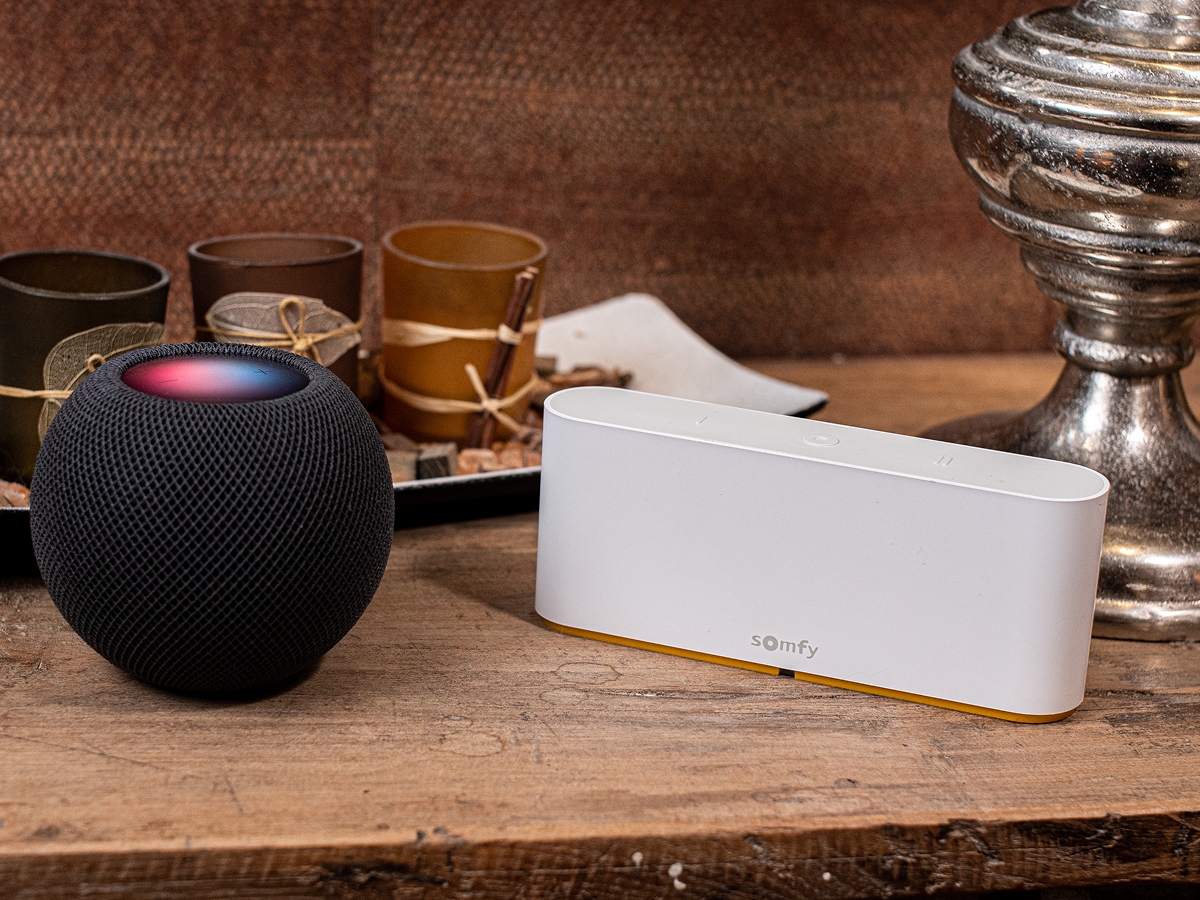
Because Zigbee is an open standard, Somfy’s motors connect to far more than Somfy’s own app. Through the TaHoma switch they work with:
- Amazon Alexa and Google Home for voice control (“Alexa, close the lounge blinds to 50%”)
- Apple Home and Siri, with Somfy’s Zigbee range certified for Apple Home
- Samsung SmartThings
- Control4, with native Zigbee control (no Somfy hub needed) due in early 2027
Tech-savvy owners can even pair the motors directly to Home Assistant.
Whisper-quiet operation
Somfy designs its Zigbee motors to be as unobtrusive as the blinds themselves. Soft start and soft stop take the jolt out of every movement, and the Sonesse 40 runs at around 40 dB at normal speed, roughly the level of a quiet library. That makes them a great fit for bedrooms and nurseries, especially with early-morning sunrise scenes. You can also slow the motor down for even quieter operation.

How Somfy Zigbee compares with other motors
There are good motors from several brands, and the right one depends on how you’ll use your blinds. Here’s how Somfy Zigbee stacks up against Acmeda and the other battery motors common in Australian homes.
| Somfy Zigbee (Sonesse WireFree) | Acmeda Automate Li-ion | Other battery motors | |
|---|---|---|---|
| Full charge | ~1.5 hrs (Sonesse 28), ~4 hrs (Sonesse 40) | 6+ hrs | 6+ hrs |
| Charging | USB-C, optional magnetic adaptor or solar | 12 V charger, optional solar | Charger port, sometimes solar |
| Two-way position feedback | Yes | Yes, through the Pulse Pro hub | Often not, or only on some models |
| Wireless technology | Zigbee 3.0 (open standard) | ARC 433 MHz (Acmeda’s own) | Mostly one-way 433 MHz RF |
| App | TaHoma by Somfy, made by Somfy | Automate Shades, made by Acmeda | Generic or white-label apps, such as Tuya Smart Life |
| Sunrise/sunset scenes | Yes | Yes | Basic schedules, depending on the app |
| Voice and smart home | Alexa, Google, Apple Home (certified), SmartThings, Control4 | Alexa, Google, Apple Home via hub | Usually Alexa and Google through the app |
Where Somfy wins: charging speed, an open Zigbee standard that works with almost every smart-home platform, and an app built only for Somfy’s own products. Acmeda Automate is a solid system with two-way feedback and sun-based scenes too, but its battery motors take longer to charge and its radio is Acmeda-only. Many other battery motors are good value, but they take longer to charge, mostly use one-way remotes, and rely on generic or white-label apps, built by another company for many brands, for smart features, so some motor settings never make it into the app.

Do you need a hub?
Not to get started. A Somfy Ysia remote pairs directly with a Zigbee motor for up, down, stop and your favourite “My” position. Add the TaHoma switch to unlock everything else: the app, two-way feedback away from home, sunrise and sunset scenes, schedules and voice control.
A few planning tips:
- Older RTS remotes won’t work. Telis and Situo remotes are RTS-only and won’t control a Zigbee motor, even though they look similar.
- Add a repeater for bigger homes. Battery motors don’t relay signals, so Somfy recommends one mains-powered repeater (such as a Sonesse 40 AC motor or a compatible smart plug) for every six WireFree motors.
- Use 2.4 GHz Wi-Fi. The TaHoma switch connects on 2.4 GHz, and works best placed at least 1.5 m from your router.
Is Somfy Zigbee right for you?
Choose Somfy Zigbee if you want to check and control your blinds when you’re out, automate them with the sun, or connect them to Alexa, Google or Apple Home. Choose Somfy RTS if you just want simple remote control, or you’re adding blinds to a home already full of RTS motors (TaHoma can run both).
FAQs
How long does a Somfy Zigbee motor take to charge?
About 1.5 hours for the Sonesse 28 and around 4 hours for the larger Sonesse 40, using the Somfy USB-C charger.
How often will I need to charge it?
Somfy rates the battery for up to 12 months with one up-and-down cycle a day on a typical blind. Heavier blinds and more frequent use will shorten that.
Can I motorise my existing blinds?
Often, yes. WireFree Zigbee motors need no wiring, so they’re ideal for upgrading existing roller blinds. For curtains, Somfy’s Glydea Zigbee module plugs into an existing Glydea RTS curtain motor to turn it into a Zigbee motor, or you can choose the battery-powered Glydea Ultra 50 WireFree Zigbee for a new curtain track. We’ll check your blinds and curtains at the measure and quote.
Do I need an electrician?
Not for battery (WireFree) motors. Mains-powered motors need a licensed electrician.
Will my blinds still work if the internet goes down?
Yes. Your Ysia remote talks directly to the motor, so it keeps working without Wi-Fi.
Can a Somfy Zigbee motor connect to Home Assistant without a TaHoma hub?
Yes. Because the motors use the open Zigbee 3.0 standard, you can pair them straight to Home Assistant, as long as you have a Zigbee receiver (a USB Zigbee coordinator or dongle) connected to it. Through Zigbee2MQTT, the motor reports its position and battery level, and you can set it to any percentage. This is a do-it-yourself setup supported by the Home Assistant community rather than by Somfy, so if you’d like sunrise scenes and support from us, we recommend the TaHoma switch.
See Somfy Zigbee in action
Visit our Oakleigh South showroom to see Somfy Zigbee motors and the TaHoma app working on real blinds and curtains, or book a free measure and quote and we’ll design a smart-blind setup for your home. Learn more about Somfy motorisation, motorised blinds and motorised curtains.
Related Articles
Discover the perfect blinds for your home: Continue your journey through our comprehensive guides & related reads.